How and when can I cancel my subscription?
The exact step-by-step procedure (self-service via mijn.wattify.be):
Log in to mijn.wattify.be using your account email address.
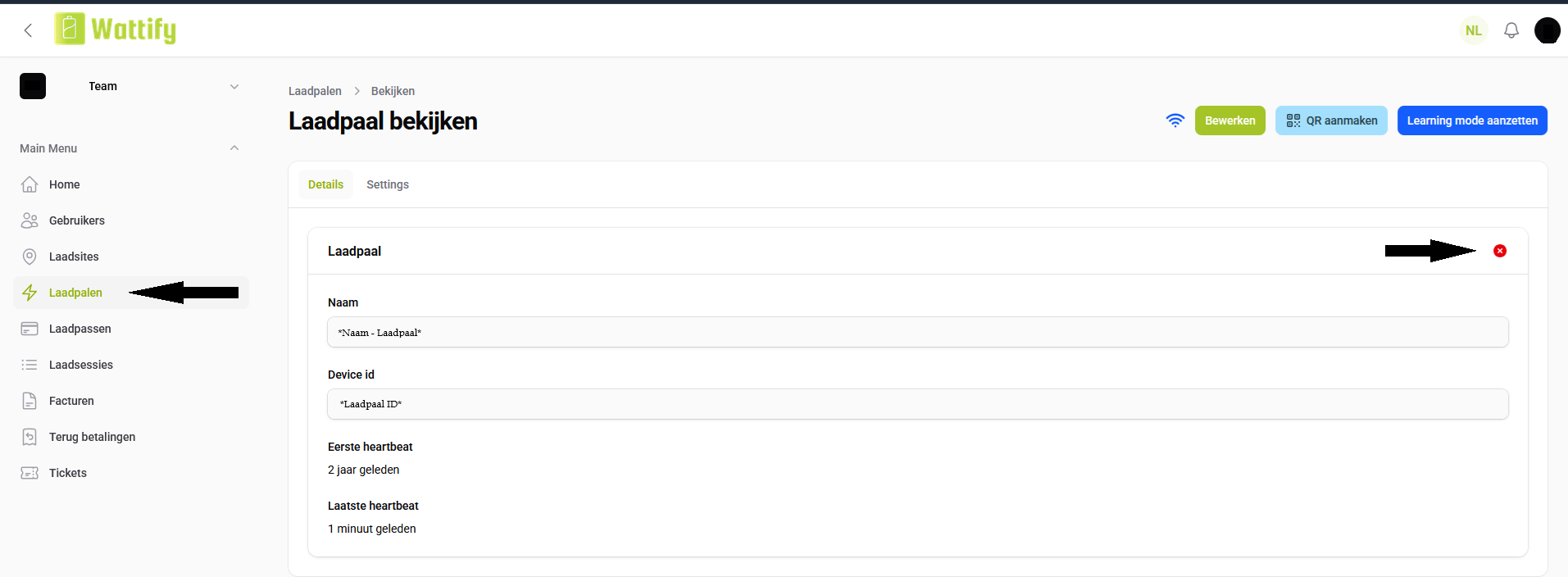
Go to ‘Charging Points’ in the menu.
Click on the desired charging point.
In the top right-hand corner of the charging point details, you’ll see a red circle – this allows the customer to cancel their subscription.
*Important:
Cancellation is only possible on a quarterly basis. After cancellation, the customer must, if they wish, take out a new subscription themselves via the prices page (wattify.be/nl/prijzen).
Related articles
Did this answer your question
Thank you for your feedback
Did not find an answer?
Our team is just an email away and ready to answer your questions