Exporting Charging Sessions
1. Log in as a user via mijn.wattify.be
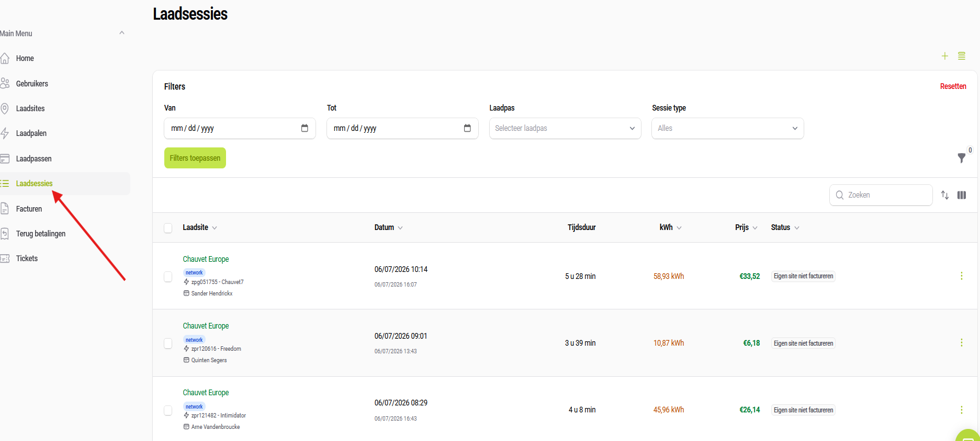
2. On the left-hand ‘Menu’ side, select ‘Charging sessions’ (see screenshot):
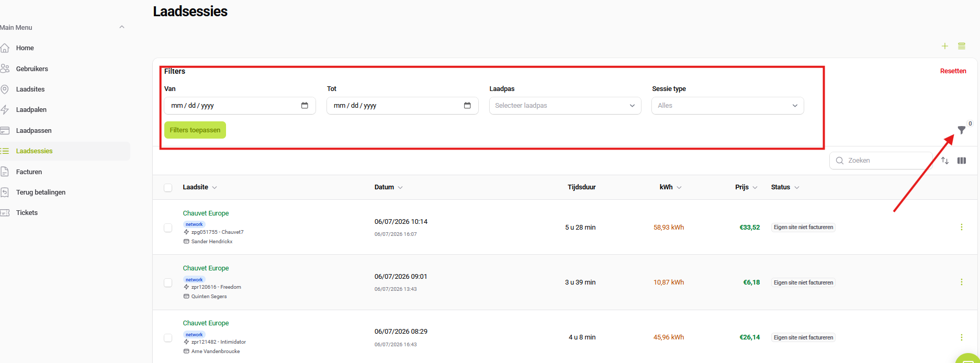
3. Here you will see all charging sessions linked to that account. You can then use the “Filter” button to apply a filter by duration, charging rate or session type. See screenshot:
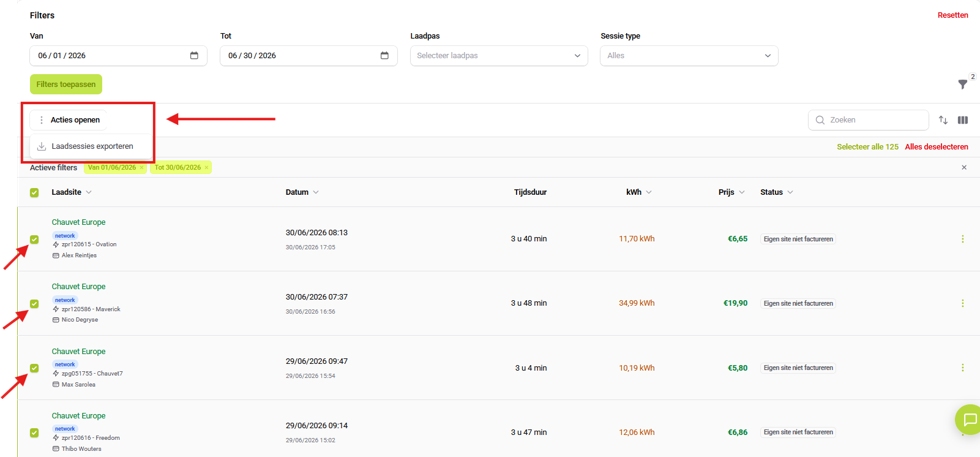
4. Once you have selected the desired filters and the results are displayed, you need to select one or more sessions using the tick boxes. These can then be exported as .xlsx or .csv files. See screenshot:
5. At the end of the export, you will see a message from the system confirming completion.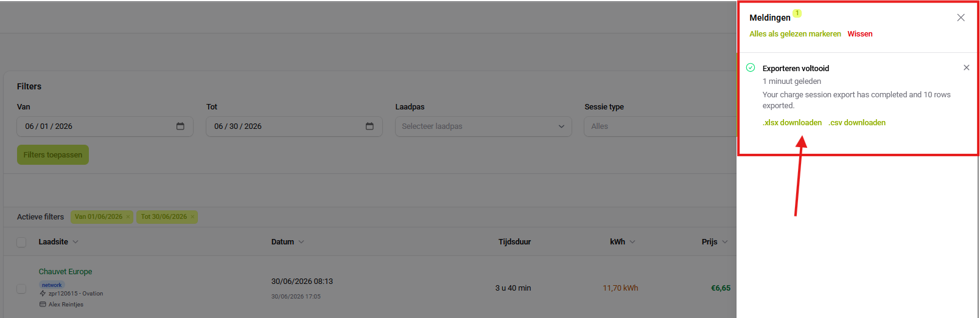
Related articles
Did this answer your question
Thank you for your feedback
Did not find an answer?
Our team is just an email away and ready to answer your questions